
8 min read

Artwork Version Control Across Hundreds of SKUs

Artwork Version Control Across Hundreds of SKUs

Somewhere in your organization right now, there's a folder with a file called something like "Label_v4_FINAL_APPROVED_use_this.ai." There's probably a second file nearby called "Label_v4_FINAL_APPROVED_use_this_2.ai." Nobody fully remembers which one the printer actually received last time, and nobody wants to be the person who finds out the hard way.

That scenario is manageable, barely, when you have a handful of SKUs in one market. It stops being manageable somewhere between 50 and 500 SKUs, once you're multiplying products by markets, languages, pack formats, and retailer-specific variants. At that point, the question isn't whether version confusion will cause a problem. It's when, and how expensive that problem will be.

Here, we look specifically at the version control side of artwork management: why it breaks down at volume, what a system built to hold up at scale actually looks like, and the practical steps brand and packaging teams can take to get there.

What Is Artwork Version Control?

Artwork version control is the discipline of tracking every change made to a piece of packaging or label artwork, so that at any point in time, everyone involved knows which file is current, what changed since the last version, and which version was actually approved and sent to print. Done well, it removes ambiguity from the production process. Done through filenames and email attachments, it eventually fails under its own weight.

Why Version Control Breaks Down at High SKU Volume

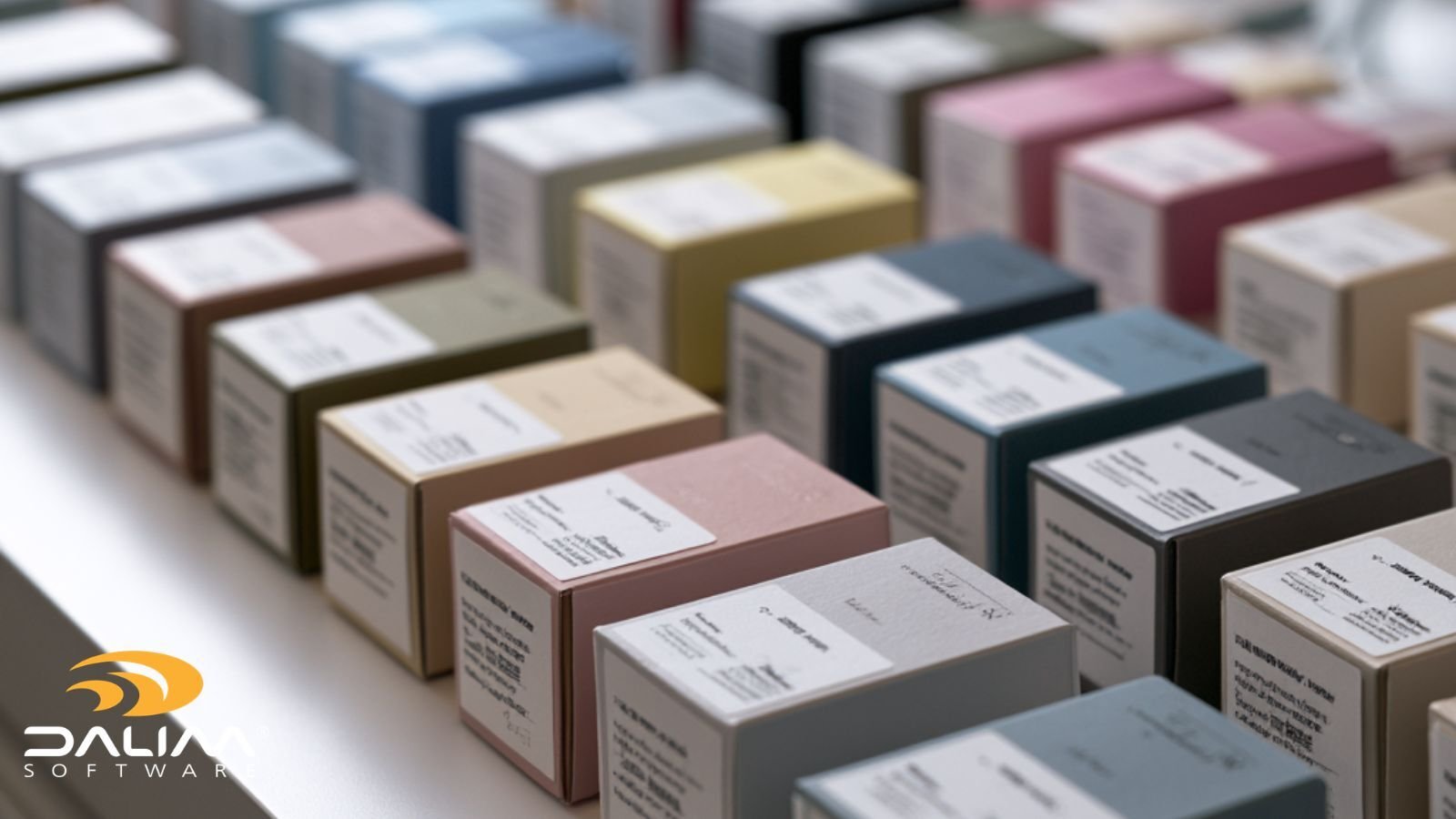
The math is the problem. A brand with 30 SKUs in a single market has, at most, 30 artwork files to track at any given time. Add five markets and three languages, and that same brand might be managing 450 live artwork combinations, each with its own revision history, its own regulatory requirements, and its own approval chain.

Filename conventions that work at small scale (v1, v2, "final," "final2") don't carry the metadata needed to answer basic questions once volume increases: Which market is this for? Which language variant? Is this the version the printer has, or a newer one sitting in someone's inbox? Who approved it, and when?

Shared drives compound the problem. A folder structure designed for 30 SKUs doesn't hold up when six regional teams start creating their own local copies, each convinced theirs is the master. Email makes it worse still: attachments get forwarded, forked, and re-approved in threads that no one can fully reconstruct after the fact.

None of this happens because teams are careless. It happens because the tools weren't built for the volume the business has grown into.

2

What Losing Version Control Actually Costs

The consequences aren't abstract. They show up as reprints, missed shelf dates, retailer chargebacks, and in regulated categories, recalls. Undeclared allergens and other labeling errors remain a leading cause of food and beverage recalls in the United States, and version drift, an outdated file reaching print after a label update was approved, is one of the most common root causes behind them. The FDA's recall database tracks these events publicly, and labeling issues appear in it with striking regularity.

Barcode errors follow a similar pattern. A barcode that scans correctly in version 3 but not in version 4, because a resize during layout wasn't caught before print, is a version control failure as much as a technical one. GS1's barcode standards exist precisely because small artwork changes, quiet zone violations, incorrect magnification, mismatched product codes, can break scanning at retail or in the warehouse, and those errors are far cheaper to catch in review than after a print run ships.

Beyond the direct costs, there's a slower, harder-to-quantify cost: the time a project manager spends every week just confirming which file is correct. That's time spent policing a process instead of running one.

The Core Principles of Version Control at Scale

A handful of principles separate systems that hold up at volume from ones that quietly accumulate risk.

One master file per SKU-market-language combination. Every unique artwork variant needs exactly one governed location it lives in. Not a folder with the "latest" copy and three older ones sitting alongside it. One location, one current version, full stop.

Metadata, not filenames, carries the meaning. Which market, which language, which regulatory status, which approval stage: this information belongs in structured fields attached to the file, not encoded in increasingly creative filenames. Metadata is searchable, filterable, and doesn't rely on someone typing it correctly by hand every time.

Automatic supersession. When a new version is uploaded, the previous version should be clearly marked as superseded, not deleted, not left ambiguous, and not still sitting in a shared folder looking equally "current."

Check-in and check-out discipline. If two people can open and edit the same master file simultaneously without the system tracking it, you don't have version control. You have a race condition. Locking a file during active edits and logging every check-in prevents the quiet conflicts that surface only when someone notices the artwork doesn't match what they expected.

An audit trail that can answer "what happened" without guesswork. Every version, every approval, every comment, timestamped and attributed. Not because it looks tidy, but because when something does go wrong, the speed of the investigation depends entirely on whether this trail already exists.

A locked, print-ready state. Once a file is approved and released, it should be locked against further edits. The version that goes to the supplier should be provably identical to the version that was approved, with no window for a "quick fix" to slip in unversioned.

A Practical Framework for Scaling Version Control

Building this from scratch, or fixing a system that's already straining, tends to go more smoothly with a structured approach.

  1. Map the real matrix first. Before choosing tools or fixing process, get an honest count of your actual SKU-market-language-format combinations. Most teams underestimate this number significantly until they see it written down.
  2. Move identification out of filenames and into metadata. Define the fields that matter (SKU code, market, language, pack format, regulatory status, approval stage) and require every asset to carry them. This is the single change that makes searching, filtering, and reporting possible at volume.
  3. Centralize work-in-progress files in one governed system. Masters and working files need to live in a platform built for active production, not a finished-asset library and not a shared drive. A digital asset management layer designed for work in progress, rather than only for storing final approved output, is what makes centralization practical for teams that are still actively revising files daily.
  4. Enforce check-in, check-out, and automatic supersession as system behavior, not team policy. Policies get skipped under deadline pressure. Systems that physically prevent two people from editing the same file, and that automatically flag older versions as superseded, don't depend on anyone remembering the rule.
  5. Route approvals through structured, auditable workflow rather than email. Once files are centralized, the approval sequence, who reviews what, in what order, with what deadline, should be automated and logged. Workflow automation built for production removes the manual chasing that tends to reintroduce version confusion even after files are centralized.
  6. Lock and validate before release. Barcode checks, preflight validation, and a final locked state should happen automatically before a file leaves the system, not as a manual step someone might forget under time pressure.
  7. Review the audit trail periodically, not just after something goes wrong. Spot-checking approval history and version logs on a regular cadence catches drift before it becomes a production incident.

Manual Tracking vs. Structured Version Control

  Filename and shared-drive tracking Structured version control
Identifying the current master Relies on filename convention and memory Single flagged current version, always
Tracking market/language variants Manual folder structure, easy to duplicate Structured metadata, searchable
Simultaneous edits Untracked, prone to silent conflicts Check-in/check-out locking
Recovering a prior version Depends on whether anyone kept a copy Full version history retained automatically
Confirming what the supplier received Often unclear after the fact Locked, provable print-ready file
Investigating an error Slow, manual reconstruction from email Immutable audit trail, timestamped
Scaling to more SKUs or markets Gets harder, and riskier, at every step Same process regardless of volume


Common Version Control Mistakes at Scale

Regional teams keeping local "master" copies. The moment a second team believes they hold the authoritative file, you have two masters and no way to know which one is actually current.

Treating "final" as a filename rather than a system state. A file isn't final because someone typed the word. It's final because the system has locked it after a completed approval sequence.

No rollback capability. If a newer version turns out to have an error, teams need to recover the last known-good version quickly. Systems without full version history make this far harder than it should be.

Assuming institutional knowledge will cover the gaps. The person who "just knows" which file is current is a single point of failure. When they're out sick, or they leave the company, that knowledge leaves with them.

Validating barcodes and specs only at the prepress or print stage. By the time a print supplier catches a version or barcode issue, the cost and delay of fixing it have already multiplied.

3

Where Technology Fits

None of this requires exotic tooling, but it does require a system built for production, not a general file-sharing tool repurposed for the job. DALIM FUSION combines centralized digital asset management with automated check-in and check-out, full versioning, and audit logging, alongside the workflow automation and online proofing that keep approvals moving without manual chasing. For brands running high SKU counts across multiple markets, that combination is what turns version control from a daily worry into background infrastructure. It's a pattern DALIM has refined over four decades of production workflow experience across print, packaging, and brand environments, and one covered in more depth in our broader guide to artwork management software.

FMCG and retail brand teams in particular tend to feel SKU-driven version pressure earliest, since seasonal variants, promotional packaging, and retailer-specific formats multiply the file count fastest. Our look at how FMCG brands manage approvals at scale and the retail brands industry page both go deeper into those specific pressures.

Key Takeaways

  • Version control failures at scale come from math, not carelessness: SKUs multiplied by markets, languages, and formats quickly outgrow filename-based tracking.
  • Labeling and barcode errors tied to outdated artwork versions are a documented, recurring cause of costly recalls and reprints.
  • A system built for scale relies on one master file per SKU-market-language combination, metadata instead of filenames, automatic supersession, and check-in/check-out locking.
  • An immutable, timestamped audit trail turns "what happened" from a slow investigation into a quick lookup.
  • The most common mistakes are structural: regional teams keeping local masters, treating "final" as a filename instead of a system state, and validating barcodes too late in the process.
  • Centralizing work-in-progress files in a governed digital asset management system, paired with automated workflow routing, is what makes version control hold up as SKU count grows rather than degrade under it.

Bringing Version Control Under Control

Hundreds of SKUs across multiple markets will always generate a lot of files. The goal isn't to reduce that volume. It's to make sure that at any moment, anyone on the team can answer "which version is current" without hesitation, and without an email thread to dig through.

If your team recognizes more of this article than you'd like to admit, it's worth taking a structured look at how DALIM FUSION handles version control for high-volume packaging and artwork production, or exploring the full case study library to see how other brands have approached the same challenge. When you're ready to talk through your own workflow, the team is happy to walk through it with you.

Frequently Asked Questions

What's the difference between version control and version history? Version history is simply the record of past versions. Version control is the active discipline and system behavior, locking files during edits, flagging the current version, enforcing approval sequences, that prevents the wrong version from being used in the first place. History alone tells you what happened. Control prevents the problem.

How many SKUs before manual tracking stops working? There's no fixed number, but most teams start feeling real strain somewhere between 50 and 150 active SKU-market combinations, sooner if multiple regional teams are involved. The tipping point tends to arrive earlier than people expect.

Can spreadsheets be used for artwork version tracking? Spreadsheets can log metadata about files, but they can't lock files during editing, enforce approval sequences, or prevent two people from working on the same asset simultaneously. They work as a supplementary reference, not as the control mechanism itself.

What metadata fields matter most for version control? At minimum: SKU or product code, market, language, pack format, approval stage, and current version status. Regulated industries typically add regulatory submission references and electronic signature records.

How does version control help with barcode accuracy? By ensuring the barcode validated during proofing is the same barcode locked into the file released to print. Version drift, where a barcode fix is approved but an older file reaches the printer, is a common and preventable cause of scan failures on shelf.

Does version control replace the need for a formal approval workflow? No, the two work together. Version control ensures everyone is looking at the same file. Approval workflow ensures the right people sign off on it in the right order. A system that does both prevents the two most common categories of packaging error.

Is version control only relevant for regulated industries like pharma and food? It matters most visibly in regulated categories because the audit trail requirement is explicit, but any brand managing SKU volume across markets faces the same underlying risk: reprints, missed launches, and retailer rejections from sending the wrong version to print.

Managing Packaging Artwork Approvals Across Markets & Languages

1 min read

Managing Packaging Artwork Approvals Across Markets & Languages

If you've ever watched a single packaging update turn into twelve separate review threads, each stuck waiting on a different regional sign-off, you...

Read More
Artwork Management Software: A Complete Guide for Brands

1 min read

Artwork Management Software: A Complete Guide for Brands

You've been there. A product launches. Someone spots the wrong allergen declaration on the label. Or the barcode doesn't scan. Or a regional legal...

Read More
Seasonal Packaging Campaigns: How FMCG Teams Survive Q4

1 min read

Seasonal Packaging Campaigns: How FMCG Teams Survive Q4

Q4 arrives the same way every year. The dates are fixed, the retail windows are non-negotiable, and somewhere between the last summer campaign ...

Read More