7 min read

DAM vs. Shared Drives: Why Manual Systems Fail at Scale

DAM vs. Shared Drives: Why Manual Systems Fail at Scale

Every marketing team has lived through this moment. Someone asks for "the latest version of the packaging artwork," and three different people send three different files, each named something like Final_v2, Final_v3_APPROVED, or Final_USE_THIS_ONE. Nobody is entirely sure which one actually went to print.

This isn't a training problem or a discipline problem. It's what happens when tools built for storing and sending files get stretched into managing the full lifecycle of a brand's digital assets.

For a small team producing a handful of assets a month, a well-organized folder structure and a shared inbox can hold up just fine. But as content volume grows, as more people, agencies, and regions touch the same assets, and as brand and regulatory risk increase, that same setup starts to break down in predictable, expensive ways.

Our article covers exactly where shared drives and email stop working, what a real digital asset management (DAM) system solves that they cannot, and how to know when your organization has reached that breaking point.

What Is Digital Asset Management?

Digital asset management (DAM) is a system for centralizing, organizing, and controlling an organization's digital files, such as images, videos, PDFs, and packaging artwork, throughout their lifecycle. Unlike basic file storage, a DAM adds metadata, version control, permissions, and audit trails, so teams always know which asset is current, approved, and safe to use.

Key Takeaways

  • Shared drives and email work fine for small, low-risk content volumes, but they were never built to manage version control, approvals, or rights as teams grow.
  • The most common signs an organization has outgrown manual asset management are version confusion, duplicated creative work, missed approvals, and no clear record of who changed what.
  • A DAM adds metadata, permissions, version history, and workflow automation on top of storage, turning a passive folder into an active system of record.
  • Moving off shared drives works best as a phased framework, not a single migration event.
  • Regulated industries such as pharma, packaging, and healthcare face compliance requirements, including audit trails and electronic signature controls, that shared drives simply cannot support.

Why Teams Start With Shared Drives and Email (and Where That Still Works)

Nobody sets out to build a broken asset management process. Shared drives and email are free or nearly free, everyone already knows how to use them, and there's no onboarding curve. For a young company or a small in-house team, that simplicity is a genuine advantage.

Manual asset management still works reasonably well when:

  • A small number of people create and use the assets
  • Content volume is low and each asset has a short shelf life
  • There's little regulatory or brand risk if the wrong version gets used
  • Assets rarely leave the internal team or get reused across campaigns

The trouble starts when any of those conditions change, which for most growing organizations, they eventually do.

3

The Breaking Point: Signs Your Organization Has Outgrown Manual Asset Management

A few warning signs tend to show up long before anyone officially decides it's time for a DAM. Watch for these:

  • More than one person regularly has to ask "which version is the real one"
  • The same logo, product shot, or graphic gets recreated from scratch because nobody can find the original
  • Approvals happen across scattered email threads that get lost, forwarded out of order, or never quite finalized
  • Assets go out to agencies, printers, or retail partners with no record of who has access or when it expires
  • A regulator, auditor, or legal team asks who approved a piece of content and when, and there's no clean answer
  • Your team has grown from a handful of people into multiple departments, regions, or brands sharing the same content

A packaging team juggling artwork across multiple retail partners, for example, often hits this wall first. Regulatory copy, ingredient panels, and brand guidelines all need to stay traceable across dozens of SKUs and revisions, something a folder structure was never designed to track.

DAM vs. Shared Drives and Email: A Side-by-Side Comparison


Capability Shared Drives & Email Digital Asset Management (DAM)
Search & discovery Filename and folder location only Metadata, tags, and natural language search
Version control Manual naming (v1, v2, FINAL) Automatic versioning and check-in/check-out
Approvals Scattered across email threads Structured, trackable review and approval
Permissions Broad, link-based, hard to audit Granular, role-based access controls
Audit trail None or informal Full history of who did what, and when
Automation Manual handoffs at every step Workflows triggered by asset or metadata events
Scalability Degrades as volume and users grow Built to handle enterprise volume and complexity
Cost of errors Recreated assets, wrong versions in market Reduced duplication and fewer costly mistakes


What a Modern DAM Actually Solves (Beyond Storage)

Metadata and search that actually finds things

A shared drive can only be searched by filename and folder path, which is exactly why "which folder was that in again" becomes a daily question. A DAM attaches metadata, and increasingly AI-generated tags, descriptions, and even color or visual similarity, to every asset. That means a single image can be discoverable under multiple categories at once, and teams can search in plain language rather than guessing at file names.

Version control and governance

Instead of relying on filename conventions to signal what's current, a DAM tracks version history automatically, with check-in and check-out controls so two people aren't editing the same master file at once. DALIM FUSION's DAM also adds rights management and expiration controls, so licensed images or time-limited campaign assets don't quietly stay in circulation after they should have been retired.

Review and approval built into the same system

One of the biggest gaps in a shared drive setup is that approval happens somewhere else entirely, usually in email or a chat thread that's disconnected from the file itself. When review and approval is native to the DAM rather than a separate tool, annotations, version comparisons, and sign-offs stay attached to the asset permanently, so there's always a clear record of who approved what.

Automation that removes manual handoffs

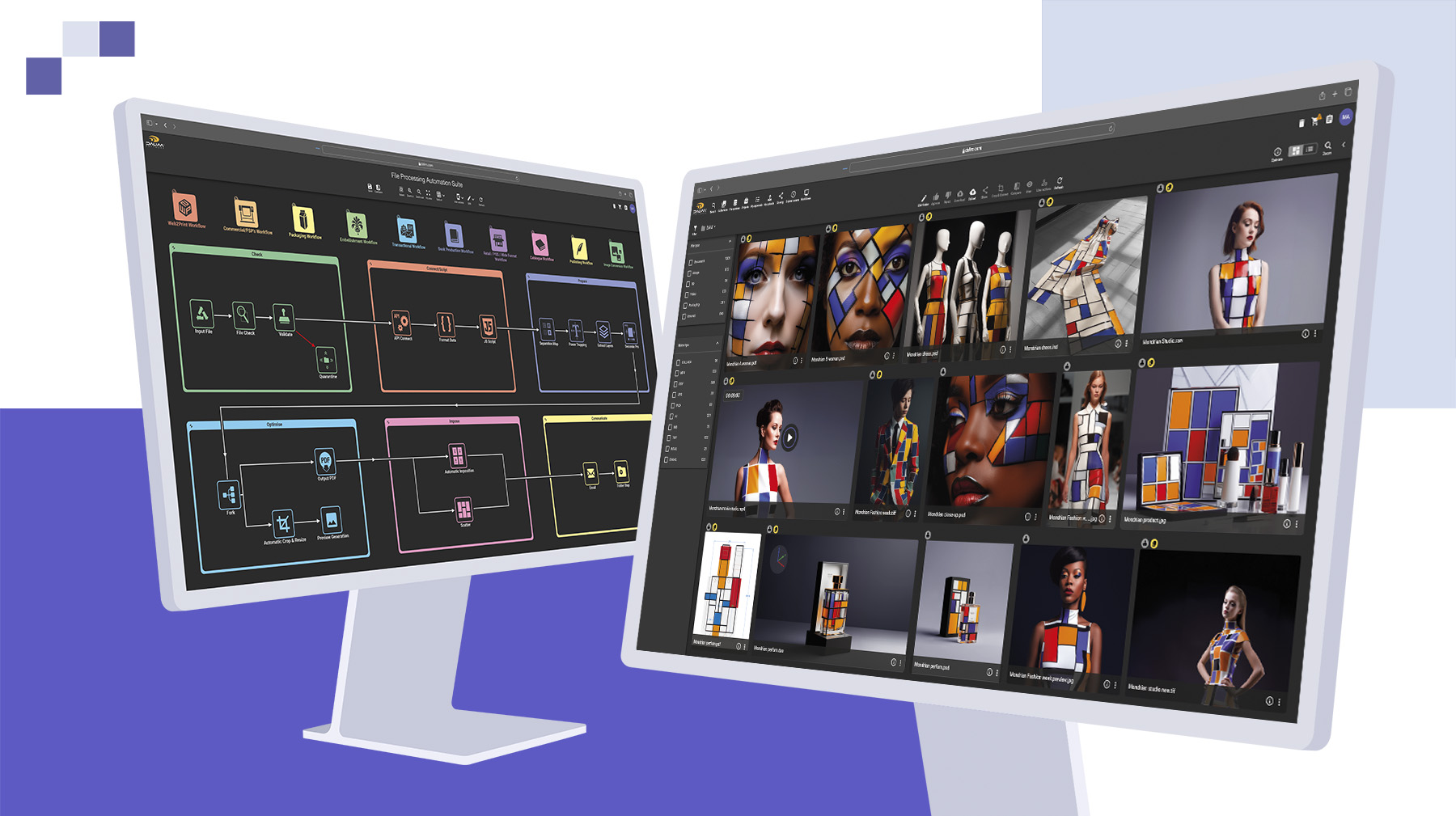
Every manual step, converting a file format, notifying the next reviewer, publishing to a channel, is a place where things get dropped. A DAM with built-in workflow automation can trigger these steps automatically based on metadata or status changes, generating print-ready files, routing assets to the right approver, or publishing to a website or e-commerce platform without someone remembering to do it by hand.

An active production system, not cold storage

Perhaps the biggest mindset shift is this: a traditional DAM is often treated as a library, a place where finished assets go to be archived and retrieved later. A production-grade DAM works differently. It keeps files moving through a lifecycle, draft, in review, approved, published, and stores work-in-progress versions from internal teams, agencies, photographers, and printers in the same governed system. That distinction matters enormously for teams managing active campaigns and packaging projects, not just a finished-asset archive.

A Practical Framework for Moving From Shared Drives to DAM

Migrating off shared drives works best as a phased process rather than a single cutover weekend. A practical framework looks like this:

  1. Audit what you actually have. Map out where assets currently live, across drives, inboxes, laptops, and third-party tools, before deciding what needs to move.
  2. Define your metadata and taxonomy first. Decide how assets will be categorized and tagged before migration starts, not after. Retrofitting metadata onto thousands of files later is far more painful.
  3. Set clear governance. Assign ownership for approvals, access levels, and rights management so the rules are established before anyone starts uploading.
  4. Migrate high-value, active assets first. Prioritize the files your team touches every week over the entire historical archive. You can backfill older assets later.
  5. Connect the DAM to your existing tech stack. A DAM that integrates with your PIM, CMS, or e-commerce platform removes far more manual work than one that sits in isolation.
  6. Train teams and retire the old habit. The shared drive doesn't disappear on its own. Set a clear cutover date and redirect requests to the new source of truth.
  7. Review and refine quarterly. Metadata structures and workflows should evolve as your content and teams do.

Common Mistakes to Avoid

  • Migrating everything at once, instead of prioritizing active, high-value assets first, tends to overwhelm teams and delay adoption.
  • Treating the DAM as passive storage, rather than using it as an active system with workflow triggers, wastes most of its value.
  • Skipping governance ownership leaves nobody accountable for metadata quality, approvals, or access, and old habits creep back in within months.
  • Ignoring regulatory requirements is a costly oversight for regulated industries. Organizations working under frameworks like the FDA's guidance on electronic records and signatures need audit trails and controlled sign-offs that shared drives and email simply cannot provide. Broader information governance frameworks from organizations like AIIM are also a useful reference point when defining internal policy.

2

Building an Asset Management Foundation That Scales With You

Shared drives and email aren't a mistake. They're a reasonable starting point that eventually gets outgrown. The signs are usually consistent: version confusion, recreated assets, approvals that live nowhere in particular, and no clear answer when someone asks who approved what and when.

A DAM solves this by adding the structure that storage alone never provided, metadata, version control, governance, and automation, while keeping assets moving through active production rather than sitting in a static archive. Whether you're managing packaging artwork across dozens of retail partners or campaign assets across regions and brands, the goal is the same: one governed source of truth that scales with the business instead of working against it.

If you're weighing up whether your team has reached that point, it's worth talking through what a production-grade DAM would look like for your workflow.

FAQ

What is digital asset management (DAM)? DAM is a system for centralizing, organizing, and controlling digital files such as images, video, and PDFs throughout their lifecycle, adding metadata, version control, and permissions that basic file storage doesn't provide.

Is Google Drive or Dropbox a DAM system? No. Cloud storage tools organize files into folders, but they don't offer structured metadata, automated versioning, approval workflows, or audit trails, which are the core functions of a true DAM.

When should a company move from shared drives to a DAM? Generally once teams start experiencing version confusion, duplicated creative work, untracked approvals, or compliance requirements that a folder structure cannot support. Company size matters less than content volume and risk.

How is a DAM different from a MAM (media asset management) system? MAM traditionally refers to tools focused on video and rich media production workflows, while DAM covers a broader range of asset types. Many modern platforms, including production-grade DAM systems, now handle both under one system.

Does a DAM replace email for approvals? Yes, when review and approval are built directly into the DAM. Annotations, comparisons, and sign-offs stay attached to the asset itself instead of living in a separate, disconnected email thread.

How long does it take to implement a DAM? It varies by scale and how much legacy content needs migrating, but a phased approach, prioritizing active assets first, typically gets teams operational faster than attempting a full migration in one pass.

Is DAM only necessary for large enterprises? No. The deciding factor is how often content is reused, shared externally, and exposed to brand or compliance risk, not headcount alone. A growing mid-size team in packaging or regulated industries can outgrow shared drives just as quickly as a large enterprise.

What compliance features should a DAM have for regulated industries? Look for full audit logs, immutable approval history, rights and expiration tracking, and electronic signature controls suited to your industry's regulatory framework, particularly important for pharma, healthcare, and packaging brands.

Kevin Petit : Transforming a Race Driver’s Marketing with ES FUSION

1 min read

Kevin Petit : Transforming a Race Driver’s Marketing with ES FUSION

How a top-level race driver, managing 130 sponsors with a two-person team, transformed his professional communications operation using ES FUSION as...

Read More
From Filing Cabinet to Growth Engine: The Modern Printer’s Guide to DAM

1 min read

From Filing Cabinet to Growth Engine: The Modern Printer’s Guide to DAM

Why Your Print Shop’s Best Salesperson Might Be a DAM If you’re in the print business, the term “Digital Asset Management” or DAM probably brings a...

Read More
How to Build a Marketing Approval Process That Works

1 min read

How to Build a Marketing Approval Process That Works

You've been there. A campaign is almost ready to go live, and then it stalls. Someone needs to sign off, but they're in back-to-back meetings....

Read More