

12 min read
What Packaging Teams Really Need From Workflow Software (And What Most Tools Get Wrong)
Rebecca Freeman
:
May 6, 2026
Managing packaging isn't like managing a marketing campaign or a software sprint. There are regulatory sign-offs, artwork versions, supplier timelines, legal reviews, and global localization requirements, all running in parallel, often across different departments and time zones.
Most teams holding this together are doing it with a combination of email threads, shared drives, manual checklists, and generic project management tools that were never designed for the job. And most of them know it's not working as well as it should.
Our guide looks at why packaging workflows are genuinely complex, what teams actually need from software to manage them well, and where most tools fall short. It also covers practical steps to improve your current process, whatever stage you're at.
What Makes Packaging Workflows So Complex?
Before you can fix a packaging workflow, you need to understand why it causes so many problems in the first place.
Packaging isn't a single-discipline task. It sits at the intersection of brand, legal, regulatory, supply chain, and production, each with different priorities, different timelines, and different definitions of "done."
Multiple Stakeholders With Competing Priorities
A single piece of packaging artwork may need input from brand teams, marketing, legal, regulatory affairs, a print supplier, a regional partner, and a quality assurance team. Each stakeholder has their own requirements, their own review timeline, and often their own preferred way of giving feedback.
When there's no structured system managing this, the result is conflicting feedback, missed comments, and approvals that are unclear or undocumented.
Strict Accuracy and Compliance Requirements
Packaging carries legal obligations. Ingredients lists, allergen declarations, nutritional information, safety warnings, country-specific regulatory requirements. In sectors like pharma, food and beverage, and consumer goods, an error on pack isn't just embarrassing. It can mean a product recall, regulatory action, or serious consumer harm.
This means the accuracy bar is higher than almost any other type of content. Every version needs to be traceable, and every approval needs to be documented.
Frequent Revisions and Version Control Challenges
The average packaging brief goes through multiple rounds of revision before final approval. New regulatory requirements emerge. Brand guidelines update. A product formula changes. Regional variants need to be created. Each change creates a new version, and without tight version control, teams end up approving the wrong file, sending outdated artwork to print, or losing track of which changes have and haven't been signed off.
Global Distribution and Localization
Enterprise brands operating across multiple markets often need the same pack structure adapted for different languages, regional regulations, and retailer requirements. Managing dozens of localized variants while maintaining brand consistency and compliance is a significant operational challenge.
What Packaging Teams Really Need From Workflow Software
Given this complexity, what does effective packaging workflow software actually need to do?
Structured, Multi-Stage Approval Workflows
Generic task management tools allow you to assign work and mark things complete. That's not the same as a structured approval workflow. Packaging teams need software that can model real review processes, with defined stages, assigned reviewers, conditional routing, and enforced sequences.
A multi-stage approval workflow ensures that legal review happens before final sign-off, that regional teams review localized copy before it goes to print, and that no one can approve a file without the right preceding approvals being in place. When this is hard-coded into the system, it eliminates the manual coordination that currently causes so many delays and errors.
Accurate Artwork and Version Control
Every version of every packaging file needs to be clearly identified, date-stamped, and traceable. The software should make it impossible to work from an outdated version and easy to compare two versions side by side to confirm what has changed.
This is especially important in high-volume environments where the same artwork template may be used across dozens of SKUs, or where a packaging line is being updated and older files remain in the system.
Clear Audit Trails and Compliance Tracking
Who approved this version? When was it approved? What changes were made after the last sign-off? In a regulated industry, these aren't optional questions. They're audit requirements.
Packaging workflow software should automatically generate a full audit trail for every file, capturing every action, every comment, every approval, and every version change. This removes the need to reconstruct approval histories from email threads when something goes wrong.
Centralized Collaboration and Feedback
Feedback that lives in email is invisible to anyone not copied on the chain. Comments in a shared document can be overwritten. Annotations on a PDF attached to a message may never make it into the working file.
Effective packaging workflow software centralises all feedback and communication in one place, attached to the specific file version being reviewed. This means everyone working on a project can see what has been said, what has been actioned, and what is still outstanding, without chasing anyone.
Integration With Existing Packaging and Print Systems
Most organisations already have systems in place for file storage, print production, or digital asset management. Packaging workflow software that can't connect to these systems creates duplication, manual transfers, and new failure points.
The right tool should integrate with the platforms and file formats your team already uses, whether that's a specific prepress workflow, a DAM system, or an ERP platform.
Scalability for High-Volume Production
A small team managing ten SKUs has very different needs from an enterprise brand managing thousands of variants across multiple markets. Packaging workflow software needs to be built to scale, handling increased volume without requiring proportionally more manual administration.
This includes the ability to run multiple workflows simultaneously, manage large file volumes, and support global teams with different languages, time zones, and review requirements.
What Most Workflow Tools Get Wrong
Most teams that have tried to manage packaging with generic workflow or project management tools have run into the same set of problems.
Built for Generic Project Management, Not Packaging
Tools like Trello, Asana, and Monday.com are genuinely useful for many types of work. They're not built for packaging. They lack native understanding of artwork files, approval stages, version history, or compliance requirements. Teams end up building workarounds that are fragile, time-consuming to maintain, and still don't fully solve the problem.
No Proper Version Control for Artwork
Most generic tools can attach files to tasks, but they can't manage artwork versions in a meaningful way. There's typically no built-in mechanism to prevent an older version from being downloaded and used by mistake, or to show a clear visual comparison between two file versions. For packaging, where the difference between version 3.1 and 3.2 could be a missing allergen warning, this is a serious gap.
Poor Handling of Complex Approvals
Simple approval flows, one person approves or rejects, don't reflect how packaging sign-offs actually work. The typical packaging approval involves multiple stakeholders, conditional review paths (if the regulatory team flags something, it goes back to design before legal review continues), and strict sequencing. Generic tools can't model this without significant configuration effort, and even then, the enforcement is usually manual.
Limited Compliance and Audit Capabilities
Most project management tools aren't designed with compliance in mind. They may record when a task was marked complete, but they don't create the kind of structured audit trail that regulated industries require. Reconstructing an approval history from activity logs and email threads is slow, error-prone, and inadequate for a serious audit.
Fragmented Communication
When feedback happens in emails, in the tool's comment section, in Slack, and in annotated PDFs sent back and forth, no single person has a complete picture of where things stand. Important comments get missed. Conflicting feedback isn't surfaced. And when something goes wrong, finding out what happened requires significant manual effort.

The Role of Creative Workflow Automation in Packaging
Automation in a packaging context isn't about replacing people. It's about removing the manual coordination work that slows processes down and introduces risk.
In a well-designed packaging workflow, automation handles the routing of tasks between review stages. When a designer marks an artwork file as ready for review, the system automatically notifies the next reviewer in the sequence, starts the review timer, and moves the file to the right stage without anyone needing to chase it.
Automation also handles exception management. If a reviewer doesn't respond within a defined timeframe, an escalation is triggered. If an approval is rejected, the file is automatically routed back to the previous stage with the feedback attached.
These automated handoffs reduce the average time spent on administrative coordination, improve on-time delivery, and create a more consistent, auditable process. They also free up time for the work that actually requires human judgment, reviewing content, making creative decisions, and resolving complex feedback.
Creative workflow automation works best when it's designed to mirror the way packaging teams actually work, with flexibility for the variations and exceptions that real workflows always contain.
How Online Proofing Improves Packaging Workflows
Proofing is one of the most time-consuming parts of the packaging process, and it's one of the areas where technology can make the biggest difference.
Traditional proofing relies on printed or PDF proofs sent to stakeholders by email. Feedback arrives in different formats, from different directions, with no clear way to reconcile conflicting comments or track what has been addressed. The process is slow, expensive, and opaque.
Online proofing replaces this with a single, structured review environment where every stakeholder reviews the same file, at the same version, in real time or on their own schedule.
Key capabilities that matter for packaging include:
Annotation tools built for artwork review. The ability to mark up specific areas of a pack, add comments tied to precise locations on the file, and respond to feedback in context is far more efficient than describing changes in text.
Version tracking within the proofing environment. When a revised version is uploaded, reviewers can see exactly what has changed against the previous version, without needing to run a separate comparison.
Structured approval capture. Rather than an email saying "looks good from my end," online proofing systems capture formal approvals with a date-stamped record, tied to a specific file version.
Faster review cycles. By removing the back-and-forth of emailing proofs, online proofing typically reduces review cycle times significantly. When all feedback is in one place and version history is clear, revisions are faster to execute and easier to sign off.
Benefits of the Right Workflow Software for Packaging Teams
When packaging teams have workflow software designed for their actual needs, the impact is visible across the whole production process.
Faster time to market. Structured workflows, automated handoffs, and Centralized proofing all reduce the time spent waiting for responses, chasing approvals, and correcting version errors. Teams that have moved from email-based processes to a dedicated packaging workflow system often report significant reductions in their average time from brief to print-ready file.
Reduced errors and rework. Most packaging errors are process errors, not people errors. They happen because the wrong version was used, because a comment was missed, or because a compliance step was bypassed. A well-designed system with enforced workflows and accurate version control eliminates most of these failure points.
Better compliance and audit readiness. Automatic audit trails, version histories, and structured approval records make it far easier to demonstrate compliance in a regulated industry. In the event of an audit or a product issue, the complete record is already there.
Improved collaboration across departments. When everyone is working in the same system with access to the same information, the coordination work that currently consumes so much time is dramatically reduced. Marketing, legal, regulatory, and production teams can work in parallel rather than in sequence.
Greater visibility and control for management. Workflow software gives operations and project leads a clear picture of where every project stands, which approvals are outstanding, and where bottlenecks are forming. This makes it possible to intervene early rather than discovering problems at the last moment.
Real-World Workflow Example
Consider a consumer goods brand launching a new product across three markets: UK, Germany, and France. Each market requires a localized pack with different regulatory text and different language variants. The product also requires legal sign-off in each market before printing.
Without dedicated workflow software, the process typically looks like this: the design team creates the UK version, sends it by email for feedback, receives comments from multiple stakeholders in different formats, revises, and eventually gets an informal sign-off. The same process then runs for Germany and France, with limited visibility into where each version is in the review process and significant risk of version confusion.
With structured packaging workflow software, the process looks very different:
- A single project brief is raised, covering all three markets.
- Design files are created and uploaded centrally, with each market's version clearly identified and version-controlled from the start.
- An automated review workflow routes each localized version to the appropriate regional legal and regulatory reviewer, in parallel.
- All feedback is captured in the proofing environment, attached to the specific version being reviewed.
- When each version has received its required approvals, the system records the sign-offs with a date-stamped audit trail.
- Final print-ready files are released to the appropriate supplier, with no risk of the wrong version being sent.
The result is a faster process, a cleaner audit trail, and a significantly lower risk of errors reaching print.
What to Look for in Packaging Workflow Software
Not all workflow software marketed to packaging teams is genuinely built for packaging. When evaluating options, these are the areas that matter most.
Flexibility for complex, non-linear workflows. Packaging review processes often have conditional paths and exceptions. The software should be able to model these without requiring extensive IT configuration every time a workflow needs to adapt.
Enterprise scalability. If you're managing hundreds or thousands of SKUs, or running packaging across multiple markets simultaneously, the system needs to handle that volume without performance issues or manual workarounds.
Strong integration capabilities. Your packaging workflow software should connect to your DAM, your print production systems, and your file storage infrastructure. Look for open APIs, pre-built integrations, and a vendor with experience in enterprise environments.
Compliance and audit features designed for regulated industries. This means automatic audit trails, structured approval capture, and version histories that can be exported for external audit purposes.
Ease of use for non-technical stakeholders. Your regulatory reviewer and your regional legal counsel aren't power users. The review and approval experience needs to be straightforward enough that external and occasional users can participate without training or support.
A vendor who understands packaging. Generic workflow platforms may offer feature parity on paper, but the practical experience of working with a vendor who understands print production, artwork management, and packaging-specific workflows is significant. The configuration, the support, and the product roadmap will reflect that understanding.

How DALIM SOFTWARE Supports Packaging Workflows
DALIM SOFTWARE has been built from the ground up for the challenges that packaging and print production teams face. Its workflow and collaboration capabilities are designed specifically for environments where accuracy, compliance, and version control are non-negotiable.
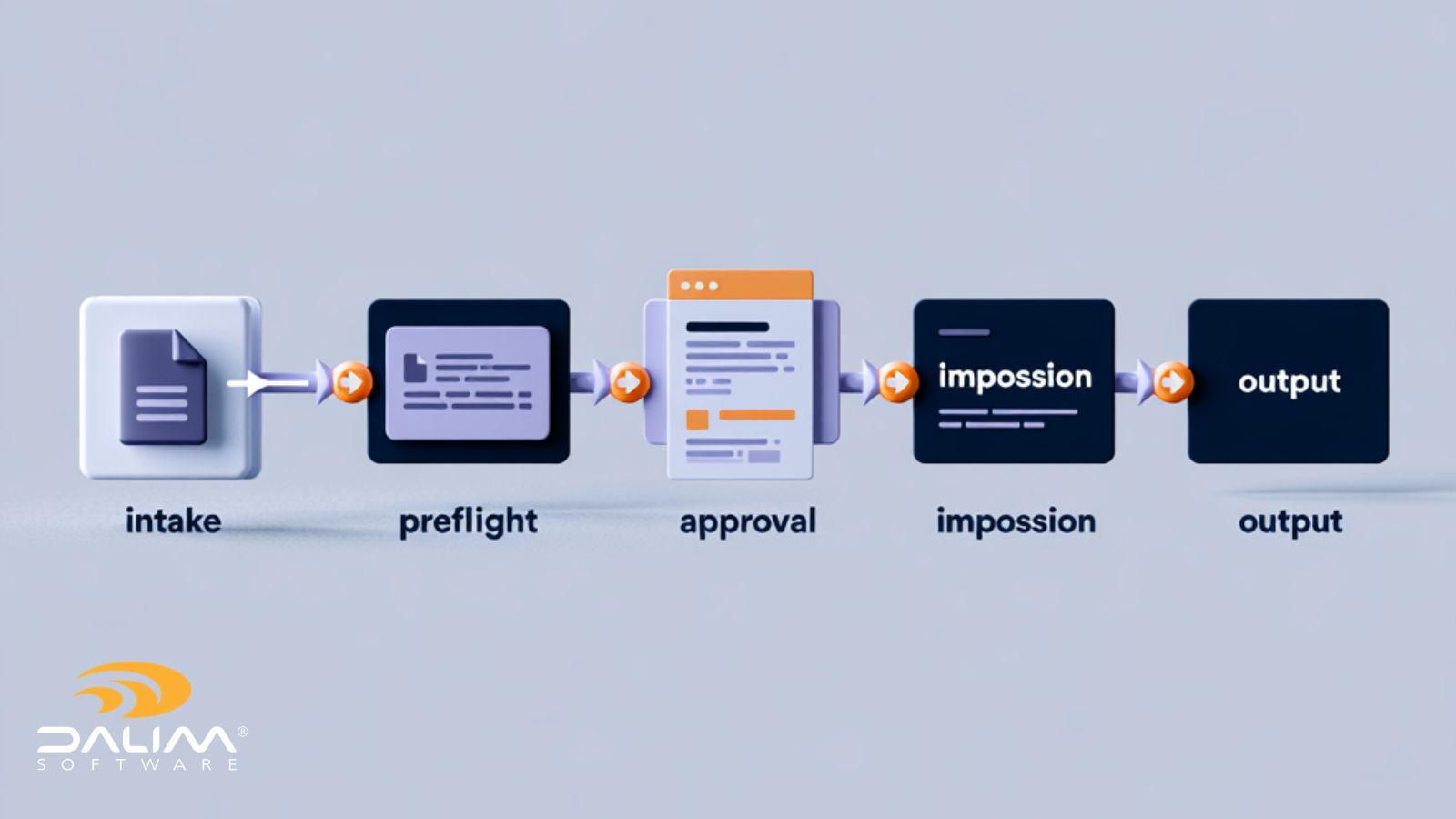
DALIM FUSION is built specifically for packaging and print production environments, combining workflow automation, online proofing, file transformation, and preflight into a single platform. It supports structured multi-stage approval workflows with full audit trail capability, Centralized review with annotation tools built for artwork, and version management that keeps every stakeholder working from the right file.
Rather than adapting a generic tool to fit packaging, DALIM's approach starts from packaging and print production. That means less configuration effort, better fit with real workflows, and a platform built to scale with enterprise production environments.
How to Improve Your Current Packaging Workflow
Even if a full software transition isn't on the immediate roadmap, there are practical steps most teams can take to reduce friction in their current process.
Map your current workflow in detail. Before you can fix a process, you need to understand it. Document every stage, every handoff, every person involved, and every tool currently being used. This often surfaces inefficiencies that were invisible when the process was just "how things are done."
Identify where delays and errors are actually happening. Most packaging workflow problems cluster around a small number of recurring failure points: version confusion, unclear approval status, feedback arriving too late, or sign-offs that are informal and unrecorded. Knowing where your specific problems are allows you to address them directly.
Standardize your workflows. Even before introducing new software, defining a standard review process (who needs to approve what, in what order, by when) reduces variation and makes the whole process more predictable.
Introduce automation gradually. It's rarely practical to automate everything at once. Identify the handoffs that consume the most manual coordination time and automate those first. Early wins build confidence and demonstrate value to stakeholders who may be skeptical of change.
Align stakeholders around shared visibility. Many packaging workflow problems are partly political: different departments working from different information, with different priorities. Shared workflow visibility, where everyone can see the status of a project in real time, reduces the friction that comes from information asymmetry.
Frequently Asked Questions
What is packaging workflow software?
Packaging workflow software is a specialized platform designed to manage the complex, multi-stakeholder processes involved in packaging production. It typically includes tools for artwork version control, multi-stage approval workflows, online proofing, compliance audit trails, and integration with print production systems. Unlike generic project management tools, it's built to handle the specific accuracy, compliance, and coordination requirements of packaging teams.
Why are packaging workflows so complex?
Packaging workflows involve multiple stakeholders with different responsibilities (brand, legal, regulatory, production, regional teams), strict accuracy requirements where errors can have legal or safety consequences, frequent revisions across many SKUs, and global distribution requiring localization. The combination of high complexity, high accuracy requirements, and multiple parallel workstreams makes packaging one of the most operationally demanding content production environments.
How can packaging approvals be improved?
Packaging approvals improve significantly when teams move from email-based processes to structured workflow systems. Key improvements include defined review sequences with enforced stages, Centralized feedback through online proofing tools, formal approval capture tied to specific file versions, and automatic escalation when reviews are overdue. This removes ambiguity about approval status and creates a clear, auditable record of every sign-off.
What tools do packaging teams typically use?
Packaging teams use a range of tools, often in combination. These include digital asset management (DAM) systems for file storage, prepress and preflight tools for print production, online proofing platforms for review and approval, and workflow automation systems for routing and managing the overall process. Many teams also use generic project management tools, though these often lack the version control and compliance features that packaging specifically requires.
How does workflow automation help packaging teams?
Workflow automation removes the manual coordination work between review stages. When a file is ready for review, the system automatically notifies the next reviewer, tracks the review against a deadline, escalates if the reviewer doesn't respond, and routes the file on to the next stage once the review is complete. This reduces the time spent chasing approvals, makes the process more consistent, and creates an automatic audit trail as a by-product.
What is the difference between online proofing and traditional proofing?
Traditional proofing typically involves sending PDF or print proofs to stakeholders by email, with feedback arriving in various formats and no central record of what has been agreed. Online proofing replaces this with a single review environment where all stakeholders annotate the same file version, feedback is captured centrally, and approvals are recorded formally. The result is faster review cycles, less version confusion, and a cleaner audit trail.
What features should I prioritize when choosing packaging workflow software?
The most important features for most packaging teams are: structured multi-stage approval workflows with conditional routing, version control that prevents work from the wrong file, Centralized online proofing with annotation tools, automatic audit trails for compliance, and integration with existing production and DAM systems. Ease of use for non-technical stakeholders is also critical, since packaging review involves people well outside the core production team.
How long does it take to implement packaging workflow software?
Implementation timelines vary depending on the complexity of your existing workflows, the number of integrations required, and the size of your team. Many organisations can begin with a phased implementation, starting with a single workflow or product line and expanding from there. Working with a vendor experienced in packaging environments typically reduces implementation time because the platform is already configured for the way packaging teams work.
Conclusion
Packaging workflows are complex by nature. They involve multiple stakeholders, strict compliance requirements, high-stakes accuracy, and constant revision pressure, all running against commercial deadlines. Generic tools can handle some of this, but they're not built for the specific combination of challenges that packaging teams face every day.
The teams that manage packaging well tend to have a few things in common: structured, enforced approval workflows; tight version control on artwork; Centralized proofing and feedback; clear audit trails; and systems that connect to their existing production infrastructure.
Getting there doesn't require a complete overhaul overnight. Mapping your current process, identifying where delays and errors cluster, and introducing structured tools at those specific points is a practical path that most teams can follow.
For organisations at the point where a dedicated packaging workflow platform makes sense, DALIM SOFTWARE offers a solution built specifically for production environments where accuracy, compliance, and scalability aren't optional features.
It's worth understanding what a purpose-built platform can do differently before committing to another round of workarounds with tools designed for something else.