
1 min read
Online Proofing Explained: Everything You Need to Know
If you've ever lost hours tracking down the "final" version of a file buried in an email thread, or sent a product to print only to realize a comment...
11 min read
Rebecca Freeman
:
Updated on April 16, 2026
Your creative brief is approved. The designer starts work. Then the first round of feedback comes in via email. Then a second round via a comment in a shared document. Then someone sends a WhatsApp. Then the client replies to an email chain from three weeks ago with a completely different set of notes.
Sound familiar?
Creative teams waste an enormous amount of time not on the work itself, but on the chaos around the work. Chasing approvals. Hunting for the latest version of a file. Figuring out who reviewed what and when. Managing feedback that arrives through five different channels. It’s exhausting, error-prone, and entirely avoidable.
Creative workflow automation is the answer that a growing number of marketing teams, agencies, and enterprise organizations are turning to. Not because it’s a shiny new technology trend, but because the operational pressure on creative teams has never been higher. More content, more channels, tighter deadlines, and more stakeholders demanding visibility.
Our guide explains what creative workflow automation actually is, how it works in practice, who it’s for, and how to decide whether your team genuinely needs it.
Creative workflow automation is the use of software to manage, route, and progress creative work without relying on manual handoffs, emails, or verbal reminders.
At its core, it means defining the steps a piece of work needs to go through, then letting the system handle the coordination. When a task reaches a certain stage, the next person is automatically notified. When feedback is submitted, it’s captured in one place. When approval is given, the file moves forward. No one has to chase anyone. Nothing falls through the gaps.
It is important to distinguish this from basic project management or task lists. Workflow automation is not just about ticking off to-dos. It is about building logic into your processes so that work flows through your organization in a predictable, trackable, and repeatable way.
For creative teams specifically, this includes managing assets, routing proofs for review, collecting consolidated feedback, tracking versions, managing regulatory or brand approvals, and ensuring the right people are involved at the right time.
The difference between a task list and a workflow automation system is the difference between writing a shopping list and having a fully stocked kitchen delivered to your door every week.

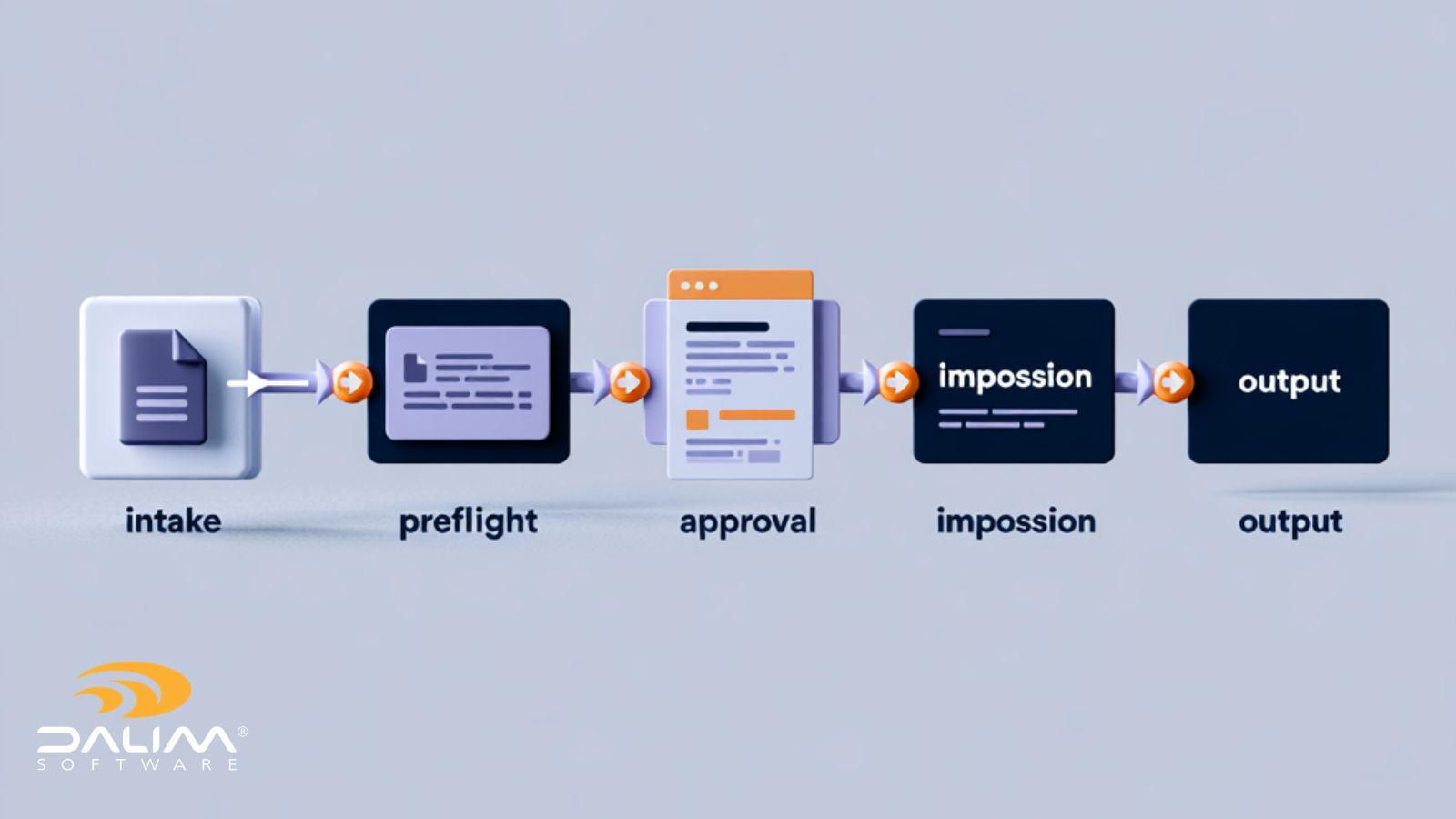
Understanding the mechanics helps you see where the value actually comes from. Here’s how automated creative production workflows typically function in practice.
1. Job or Task Creation
A project is initiated, either manually by a team member or triggered automatically by an incoming brief, a form submission, or an integration with another system. The automation platform creates the job, assigns it to the relevant team, and starts the clock.
2. Routing and Assignment
Based on predefined rules, the system routes the task to the right person. This might be based on the type of asset, the client, the region, the language, or the stage of production. No manager needs to step in to decide who does what.
3. Collaboration and Feedback
Stakeholders are invited to review work directly within the platform. Feedback is captured in context, directly on the asset, not in a separate email thread. Everyone sees the same version. Comments are timestamped and attributed to the right person.
4. Revision Cycles
When revisions are requested, the asset is sent back through the workflow automatically. The system tracks which version is which, who requested what change, and when it was made. You always know where you are in the revision cycle.
5. Approval Routing
Approval workflows can be configured to require sign-off from multiple stakeholders, in a specific order or simultaneously. If someone does not respond within a set timeframe, an automatic reminder is sent. Nothing stalls because someone forgot to check their inbox.
6. Final Delivery
Once all approvals are in place, the finalized asset is delivered to the appropriate destination, whether that’s a DAM system, a print production environment, a client portal, or a downstream publishing platform.
The power of this model is in the logic layer. Automation triggers can be simple (move to next stage when approved) or complex (if asset is destined for the EU market, route to the compliance team before final delivery). Once that logic is set up, it runs consistently every time.
Not all workflow management software is built the same. The features that matter most for creative teams include the following.
Automated Task Routing
Work should move forward without manual intervention. The system should know who needs to do what next and notify them automatically. This eliminates the most common source of delays: waiting for someone to pass something along.
Online Proofing and Approval Workflows
The ability to review, annotate, and approve assets directly within the platform is essential. This consolidates feedback, eliminates version confusion, and creates an auditable record of every decision made during the review process.
Version Control
Every creative team has experienced the horror of the final_final_v3_APPROVED.pdf situation. Proper workflow automation tools maintain a clear version history, lock previous versions from accidental editing, and ensure everyone is always working from the correct file.
Integration With Existing Creative and Marketing Tools
Creative teams don’t work in a vacuum. Workflow automation tools need to connect with the wider ecosystem: design software, digital asset management systems, print production platforms, marketing technology stacks, and business systems. Good integration reduces double-handling and keeps data consistent.
Reporting and Analytics
You cannot improve what you cannot measure. Workflow automation platforms should provide visibility into how long tasks spend at each stage, where bottlenecks occur, which reviewers cause delays, and how overall throughput compares over time. The best platforms go further, offering customizable KPI dashboards that give managers a real-time view of the entire production pipeline, accessible from mobile as well as desktop. That kind of visibility does not just help you report on performance after the fact. It helps you identify problems while there is still time to act.
Compliance and Brand Consistency Controls
For enterprise organizations and regulated industries, this is non-negotiable. The system should be able to enforce mandatory review steps, apply brand guidelines, and maintain records for audit purposes.

The case for automating your creative production workflow isn’t just about saving time - the benefits compound across the whole organization.
Faster project delivery. When tasks route automatically and approvals are managed by the system, projects move faster. Teams spend less time waiting, and more time doing.
Reduced manual work. Chasing approvals, sending reminders, consolidating feedback, and updating spreadsheets are all tasks that add no creative value. Automation eliminates most of them.
Fewer errors and missed steps. Manual processes rely on individuals remembering to follow the right steps every time. Automated workflows enforce the process, so nothing gets skipped.
Better collaboration across teams. When feedback lives in one place and everyone has visibility of the same information, the friction between creative, marketing, legal, and operations teams decreases significantly.
Improved compliance and brand consistency. For brands managing large volumes of assets across multiple markets, automated approval chains ensure that nothing goes out without the right sign-off. This is particularly important in sectors like pharma, retail, and FMCG where regulatory requirements are strict.
Scalability. Adding more projects to a manual process usually means adding more people. With automation, teams can take on significantly higher volumes without proportional headcount increases.
Signs Your Team Actually Needs Workflow Automation
There is no universal rule that every team needs workflow automation. But there are some clear signals that your current approach is costing you more than you realize.
You are managing approvals by email. Email isn’t a workflow tool. When approval conversations are spread across inboxes, it is almost impossible to maintain a clear record, track decisions, or identify who gave what sign-off and when.
Feedback arrives from multiple places at once. If your team receives comments via email, phone calls, shared documents, and chat messages simultaneously, they are spending more time consolidating feedback than acting on it.
Deadlines are regularly missed. Research has found that 92% of marketers cite approval delays as the biggest reason for missed deadlines. If that pattern sounds familiar, the problem is almost certainly process rather than capacity.
Nobody knows where a project actually stands. If a project manager or creative director has to ask around to get a status update, that’s a clear sign the workflow lacks visibility.
You are frequently dealing with version confusion: Working from the wrong file, sending the wrong version for print, or discovering that someone made changes to an asset you thought was approved are symptoms of a process that needs structure.
Your team is growing or your output is increasing. What works for a team of five does not always work for a team of twenty. If you’re scaling, the time to get your processes right is before things break, not after.
You operate across multiple markets, languages, or regulatory environments. The more complexity in your output, the harder it is to manage manually without errors.
It's worth being honest here - workflow automation is not the right investment for every team at every stage.
If you are a small in-house team of three or four people working on a limited number of projects, a well-maintained shared folder, a clear naming convention, and a simple project management tool might be entirely sufficient. The overhead of implementing and maintaining a dedicated workflow system could outweigh the benefits.
Similarly, if your organization is in a very early stage and your processes are still forming, it may be worth spending more time understanding what your workflow actually is before you automate it. Automating a flawed process does not fix the process. It just makes the flaws happen faster and more consistently.
The sweet spot for creative workflow automation tends to be teams that have reached the point where their processes exist but are struggling to scale them, where volume and complexity are growing, and where the cost of errors and delays is becoming genuinely significant.
The comparison between automated and manual creative workflows makes the difference in outcomes very tangible.
|
Area |
Manual Process |
Automated Workflow |
|
Task routing |
Manager or team lead assigns manually |
System routes automatically based on rules |
|
Approval tracking |
Chasing via email and calls |
Dashboard visibility, automated reminders |
|
Feedback collection |
Multiple channels, often fragmented |
Centralized, in-context, on the asset |
|
Version control |
Folder naming conventions, prone to error |
System-managed, locked previous versions |
|
Compliance |
Relies on individuals remembering steps |
Enforced by workflow logic |
|
Reporting |
Manual tracking, usually incomplete |
Automatic, real-time data |
|
Scalability |
Requires more people as volume grows |
Scales without proportional headcount |
The manual approach is not broken, exactly. Many teams have made it work for years. But it is fragile. It depends on individuals being diligent, responsive, and consistent. Automation removes that dependency and builds reliability into the process itself.

Creative workflow automation isn’t limited to a single type of organization. Across industries, different teams are using it to solve variations of the same core problems.
Marketing teams use it to manage content production pipelines, coordinate campaign assets across channels, and route materials through legal and brand review.
Creative agencies use it to manage multiple client projects simultaneously, track revision cycles, and maintain clear records of every approval given.
Packaging and print teams use it to manage the highly regulated and technically complex process of getting artwork from brief to press-ready file. In this context, version control, compliance routing, and color accuracy are particularly critical. Sending a file for print approval that does not accurately represent final colors creates costly revision loops. Platforms with built-in soft proofing, where color rendering is verified to industry standards, can cut those loops significantly. DALIM FUSION, for example, is purpose-built for this environment, supporting high-volume production workflows with structured approval processes, version comparison tools, and color-accurate soft proof rendering.
Enterprise organizations use it to bring consistency to creative operations at scale, particularly when managing multiple brands, markets, or geographies. At enterprise level, auditability, access controls, and integration with wider business systems become critical requirements.
Retail and e-commerce teams use creative workflow automation to manage the constant flow of product content across multiple channels. Unlike campaign-based marketing, retail content production is continuous and high-volume, spanning product imagery, localized descriptions, promotional banners, and marketplace-specific formats. A single product launch can require dozens of asset variations, each needing the right approvals before going live across different regions, platforms, and retail partners. Without a structured workflow, that volume becomes unmanageable quickly. Automation gives retail teams the ability to run parallel production streams, enforce consistent approval steps, and deliver the right asset to the right channel without everything grinding to a halt every time a new SKU drops or a promotion changes.
Pharma and regulated industries use it specifically to enforce mandatory compliance review steps and maintain the documentation required for regulatory purposes.
Choosing workflow management software is a significant decision. Here are the most important criteria to evaluate.
Scalability. Can the system handle the volume you have now and the volume you are likely to reach in two or three years? Check how pricing scales with users and projects, and whether the platform architecture can support enterprise-level usage. A modular design is a good sign here: it lets you start with the most pressing problem and add capability as your needs grow, rather than committing to everything at once.
Ease of use. A system that requires extensive technical knowledge to configure and maintain will create new bottlenecks. Look for platforms that allow non-technical users to build and adjust workflows without needing developer support.
Integration capabilities. Your workflow tool needs to work with the systems you already use. Look for native integrations with your DAM, print production software, design tools, and business systems, or a robust API that allows custom connections.
Security and compliance. For enterprise organizations, the platform needs to meet your data security requirements. Look for features like role-based access controls, audit trails, single sign-on, and compliance with relevant data regulations.
Flexibility for complex workflows. Not all creative work follows a linear path. Your solution should support conditional logic, parallel approval routes, and exceptions, not just simple linear sequences.
Vendor expertise. There is a significant difference between a generic workflow tool that can be configured for creative work and a platform built specifically for creative production. Domain expertise in the vendor matters, particularly for complex environments like packaging, print, or regulated marketing.
Getting workflow automation right is as much about change management as it is about technology. These principles make the difference between a successful implementation and one that stalls.
Map your workflows before you automate them. Spend time documenting how work actually moves through your organization today, including the informal steps that happen outside the official process. You can’t automate a workflow you’ve not defined.
Start small and scale. Pick one workflow to automate first, ideally one that is painful enough to make the improvement obvious. Build confidence in the system before expanding to more complex processes.
Get buy-in from the people who will use it. Workflow automation affects everyone in the process, not just managers. Involve the creative team, the reviewers, and the approvers early. Address their concerns honestly and involve them in the configuration process.
Keep the logic as simple as possible. The temptation is to build for every exception from day one. Resist this. Start with the core flow and add complexity only when it is needed.
Review and optimize regularly. A workflow that makes sense today might need adjusting in six months as your team, your output, or your client requirements change. Build in regular reviews of your automated processes.
Measure outcomes from the start. Define what success looks like before you go live. Faster turnaround times, fewer revision cycles, fewer missed deadlines? Tracking the right metrics gives you the evidence to demonstrate value and justify further investment.
What is creative workflow automation?
Creative workflow automation is the use of software to manage the movement of creative work through a production process, routing tasks, managing approvals, collecting feedback, and tracking versions without manual handoffs. It removes the need for emails and reminders to keep projects moving and creates a structured, repeatable process for creative production.
How does workflow automation help creative teams?
It eliminates the administrative overhead that slows creative teams down: chasing approvals, consolidating feedback, and tracking project status. By handling coordination automatically, teams spend more time on the work itself and less on the process around it. It also reduces errors, improves visibility, and makes it easier to scale output without adding headcount.
What are the benefits of workflow automation in marketing?
For marketing teams, the main benefits are faster campaign delivery, better version control, fewer errors in the approval process, improved compliance with brand and legal requirements, and greater visibility across concurrent projects. When feedback is centralized and approvals are tracked automatically, campaigns move from brief to publication more efficiently.
Is workflow automation suitable for small teams?
It depends on the complexity and volume of work. Very small teams with simple, low-volume workflows may find that a basic project management tool is sufficient. As teams grow, take on more projects, or manage more complex approval requirements, the case for dedicated workflow automation becomes significantly stronger.
What is the difference between workflow automation and project management?
Project management tools help teams plan, assign, and track tasks. Workflow automation goes a step further by building logic into the process itself, automatically routing work, triggering notifications, enforcing approval sequences, and managing versions. Workflow automation reduces the need for human coordination at each step, whereas project management still relies on people to move tasks forward manually.
What should I look for in a creative workflow automation tool?
The most important factors are ease of use, integration with your existing tools, scalability, flexibility for complex workflows, and strong approval and version control features. For regulated industries or high-volume production environments, compliance features and audit trail capabilities are also essential.
How long does it take to implement creative workflow automation?
This varies significantly depending on the complexity of your workflows and the platform you choose. A focused initial implementation, covering one core workflow, can often be up and running within a few weeks.
Can workflow automation tools integrate with existing software?
Yes. Most enterprise-grade workflow platforms offer integrations with common tools including design applications, digital asset management systems, print production platforms, and marketing technology stacks. Integration capability is one of the most important criteria to evaluate when choosing a platform.
Creative workflow automation is not a luxury for large organizations with dedicated operations teams. It is increasingly a practical necessity for any team that produces a significant volume of creative work, manages complex approval processes, or needs to maintain quality and compliance at scale.
The core idea is straightforward: define your process once, build it into a system, and let the system handle the coordination. What changes as a result is significant. Fewer delays. Fewer errors. Less time spent on administrative work. More time for the creative and strategic thinking that actually drives value.
If your team is still managing approvals by email, dealing with version confusion, or struggling to scale output without everything becoming chaotic, the question is not really whether you need workflow automation. It is how quickly you can get there.
DALIM SOFTWARE has been building workflow and print and media production software for four decades, working with some of the world's most demanding creative operations teams across publishing, retail, packaging, and marketing. DALIM FUSION is an end-to-end content lifecycle platform covering workflow automation, online proofing, digital asset management, project management, and file transformation. If your organization is looking for a platform that can handle the full complexity of creative production at scale, it is worth exploring what DALIM can do. You can learn more by booking a discovery call with one of our team.
1 min read
If you've ever lost hours tracking down the "final" version of a file buried in an email thread, or sent a product to print only to realize a comment...
1 min read
On November 27, 2025, we were delighted to welcome Julie FEGER KATZ, a lawyer at FIDAL, to our offices for a breakfast conference dedicated to new...
1 min read
Whether you're looking to print your next project or you're a professional printer, one essential question arises: which printing method should you...