

 Rebecca Freeman
Print Workflow Software: From Manual to Automated
 Rebecca Freeman : Jul 20, 2026, 12:37:30 PM
See how print workflow software replaces manual routing and file prep with automated pipelines that cut errors, save time, and scale production.

Ask any prepress manager what keeps them up at night and imposition will come up fast. It sits at the intersection of everything that can go wrong in production: the wrong template gets pulled, a lane variation doesn't get updated, a last-minute quantity change means rebuilding a layout from scratch at 4pm on a Friday. Multiply that across hundreds of jobs a week, and it's easy to see why imposition is one of the most expensive steps in the entire print workflow, not because the task itself is complicated, but because doing it manually at scale is where waste, rework, and missed deadlines quietly pile up.
This matters more now than it did five years ago. Run lengths keep shrinking, personalization and versioning keep multiplying, and packaging jobs increasingly demand multi-lane layouts that change from job to job. Static, template-based imposition simply wasn't built for that level of variability. Today we look at what imposition software actually does, why manual and template-driven approaches struggle to keep up, and how a rule-driven, automated approach changes the economics of prepress.
Imposition software arranges pages or print items on a press sheet or plate in the correct sequence, orientation, and position for printing, folding, and finishing. Modern imposition software goes further than static templates. It reads live job data such as page size, quantity, substrate, and press configuration, then builds the layout automatically, adjusting in real time as job parameters change.

Traditional imposition relies on a library of templates, one for each combination of page size, quantity, substrate, and finishing requirement. That works fine when job variety is low. It breaks down fast when it isn't.
A few patterns show up again and again in prepress teams still running template-based imposition:
Template sprawl. Every new size, substrate, or finishing option means another template to build, name, store, and maintain. Teams end up managing thousands of variations, and nobody is entirely sure which ones are current.
Manual lane management. Packaging and label work often needs multi-lane layouts that shift with quantity and substrate width. Building and re-checking these by hand is slow and easy to get wrong, especially under deadline pressure.
Recurring prepress errors. Bleed, marks, creep, and fold allowances get missed or applied inconsistently when operators are working from memory or an outdated template rather than the actual job specification.
Wasted substrate. Layouts built from the nearest-fit template rather than the exact job data almost always leave usable space on the sheet unused, which adds up to real cost over thousands of runs.
Bottlenecks around specialist knowledge. When only one or two people on the floor really understand imposition logic, their availability becomes a production constraint in its own right.
None of these problems are about people doing careless work. They're what happens when a process that needs to respond to constantly changing data is instead built around static, manually maintained templates.
Rule-driven imposition inverts the traditional model. Instead of starting from a template and hoping the job fits, the software starts from the job data itself, page size, quantity, press configuration, substrate, finishing requirements, bleed, and marks, and generates the layout to match.
This is the approach behind DALIM FUSION's imposition capability, which builds impositions on the fly from live job data rather than pulling from a static template library. Because the logic is rule-based rather than template-based, it adapts automatically to variations in size, orientation, quantity, lane count, creep, and fold, whether the job is a short-run digital booklet, a multi-lane packaging run, variable data output, or ganged commercial work.
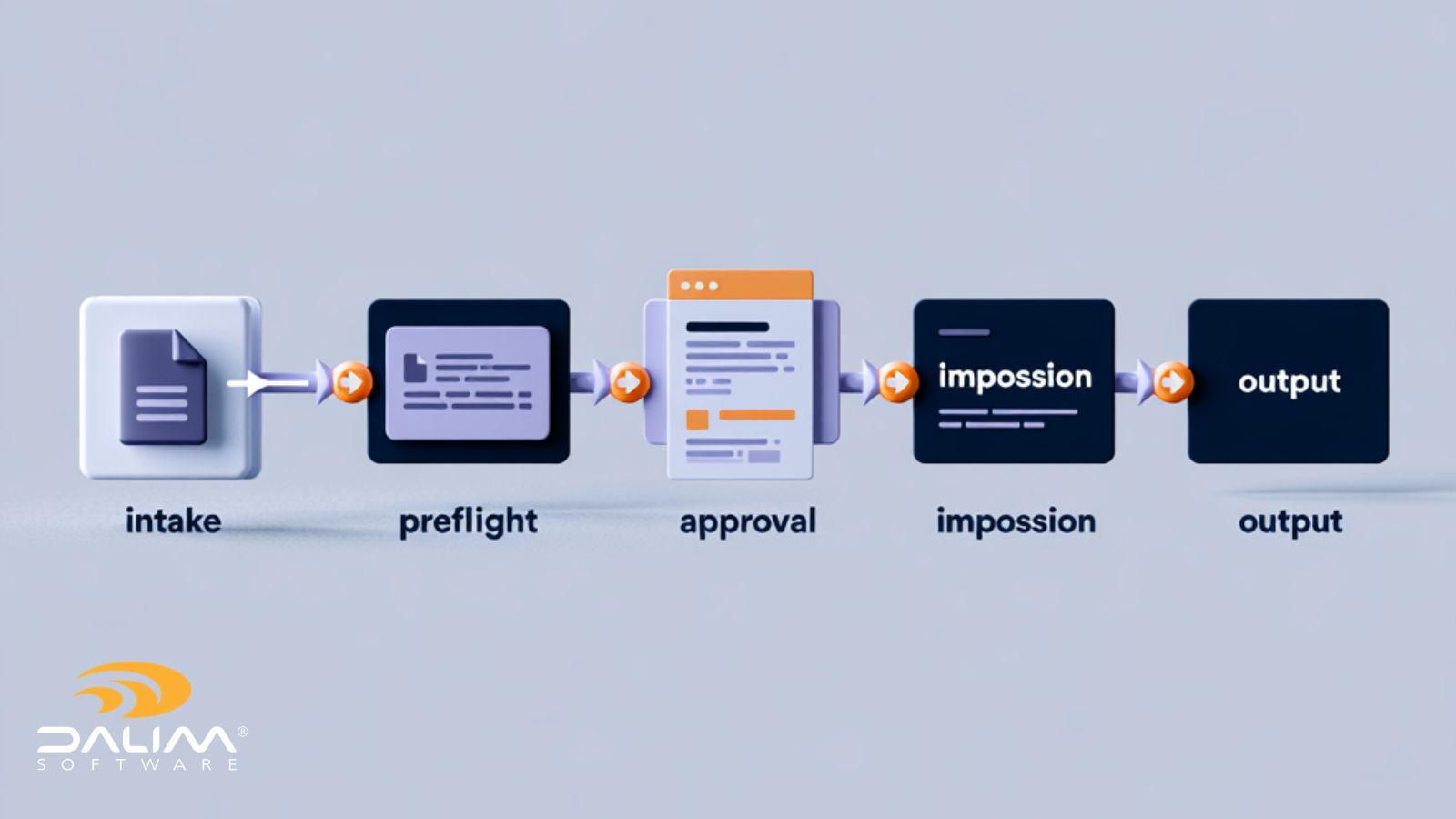
The practical effect is that imposition stops being a manual bottleneck and becomes a consistent, repeatable step in the workflow. That consistency is also what makes automated imposition a natural fit inside broader workflow automation, where a single triggered task, such as a file upload or an approval, can kick off preflight, imposition, and routing without anyone touching a template.
If you're assessing whether automated imposition makes sense for your operation, this framework covers the areas that tend to matter most.
| Manual / Template-Based | Automated / Rule-Driven | |
|---|---|---|
| Layout source | Fixed template, selected by an operator | Generated from live job data |
| Handling job variation | New template required for each variation | Adapts automatically to size, quantity, lanes, substrate |
| Multi-lane packaging | Built and checked manually, job by job | Real-time lane switching based on job parameters |
| Error risk | Higher, dependent on operator recall and template accuracy | Lower, since layout follows defined rules consistently |
| Substrate efficiency | Limited by nearest-fit template | Optimized per job, reducing waste |
| Scalability | Slows down as template library grows | Scales with job volume and complexity |
| Knowledge dependency | Concentrated in a small number of specialists | Embedded in the system's rule logic |
Automation shouldn't come at the cost of visibility. For teams producing regulated packaging, pharmaceutical labeling, or brand-controlled retail materials, every imposition decision needs to be traceable, not just fast. That means the system should log what job data drove a given layout, make it easy to reproduce a past imposition exactly, and apply the same rules consistently whether a job runs at one site or across several. This is particularly relevant for organizations running production across multiple facilities, where standardizing imposition logic centrally, rather than relying on local templates at each site, removes a common source of inconsistency between plants.

Material waste isn't just a cost line, it's increasingly a sustainability metric that clients and regulators ask about directly. Industry research from Two Sides, a nonprofit initiative representing the print and paper value chain, points to recycling and efficient material use as central to the industry's environmental performance. Imposition sits squarely inside that picture: a layout that wastes ten percent of a sheet on every run adds up to a meaningful amount of unnecessary substrate consumption over a year of production, regardless of what stock is used. Optimizing layout automatically, on every job rather than only when someone remembers to check, is one of the more direct ways a print or packaging operation can reduce its material footprint without changing what it produces.
Imposition doesn't happen in isolation. It sits downstream of file checking and color management, and upstream of plating or digital output, which is why consistency with broader prepress standards matters. Organizations like PRINTING United Alliance support the development of international prepress and workflow standards through ISO/TC 130, covering everything from data exchange to process control. Imposition logic that's built on the same structured job data used for preflight and color management, rather than handled as a separate manual step, is what keeps a shop aligned with those broader standards rather than working around them.
Automated imposition tends to fit naturally into that structure because it draws from the same live job data used elsewhere in the workflow, including within file checking and transformation, rather than requiring a separate manual handoff.
What is the difference between imposition and preflight? Preflight checks a file for print-readiness, such as color mode, resolution, and bleed, before production. Imposition arranges pages or print items on the press sheet for printing and finishing. They're separate steps, but in an automated workflow they typically run back-to-back using the same job data.
Does automated imposition work for packaging and multi-lane jobs? Yes. Multi-lane layouts are one of the areas where automated imposition shows the clearest benefit, since the software can switch lane configurations based on substrate width and quantity without an operator rebuilding the layout manually.
How much substrate waste can imposition software actually reduce? The exact figure depends on job mix and current template efficiency, but any layout that's optimized per job rather than pulled from the nearest-fit template will use substrate more efficiently. Teams evaluating a switch should measure their own baseline waste before and after to get an accurate figure.
Can imposition software integrate with our existing MIS or ERP system? Modern imposition tools are typically built to accept structured job data from external systems, including XML, JSON, SQL, and API inputs, so imposition logic can run directly from the same data already captured for order management.
Is automated imposition suitable for short-run and variable data jobs? Short-run and VDP jobs are often where template-based imposition struggles most, since a new template is effectively needed for every variation. Rule-driven imposition handles this by generating the layout per job rather than per template.
What happens when a job's specifications change late in production? With rule-driven imposition, a change in quantity, substrate, or size triggers a new layout automatically from the updated job data, rather than requiring someone to manually rebuild or reselect a template.
Do we need to change our prepress workflow entirely to adopt automated imposition? Not necessarily. Automated imposition can run alongside file checking, color management, and approval steps that are already part of an existing workflow. Many teams pilot it on a specific job type before expanding further.
How does automated imposition support compliance in regulated industries? Because layouts are generated from defined rules and logged job data, automated imposition creates a clearer audit trail than manual template selection, which is particularly useful for pharmaceutical, packaging, and other regulated production environments.
 Rebecca Freeman : Jul 20, 2026, 12:37:30 PM
See how print workflow software replaces manual routing and file prep with automated pipelines that cut errors, save time, and scale production.
 Rebecca Freeman : Jun 22, 2026, 12:32:59 PM
Retail brands face mounting prepress complexity. Here's how leading teams are streamlining digital prepress workflows to cut errors, speed approvals,...
 Rebecca Freeman : Jun 19, 2026, 10:10:50 AM
Discover the five most common prepress bottlenecks, why they happen, and exactly how automation removes each one. Practical, no-hype guide.